

You can connect your Planfy account with your Apple and Other Calendars account to automatically sync appointments between the two platforms.
To set up calendar synchronization, go to the Staff page and select the team member whose calendar you want to sync. Open the Integrations tab.
Click Setup Sync under the Apple & other calendars section.
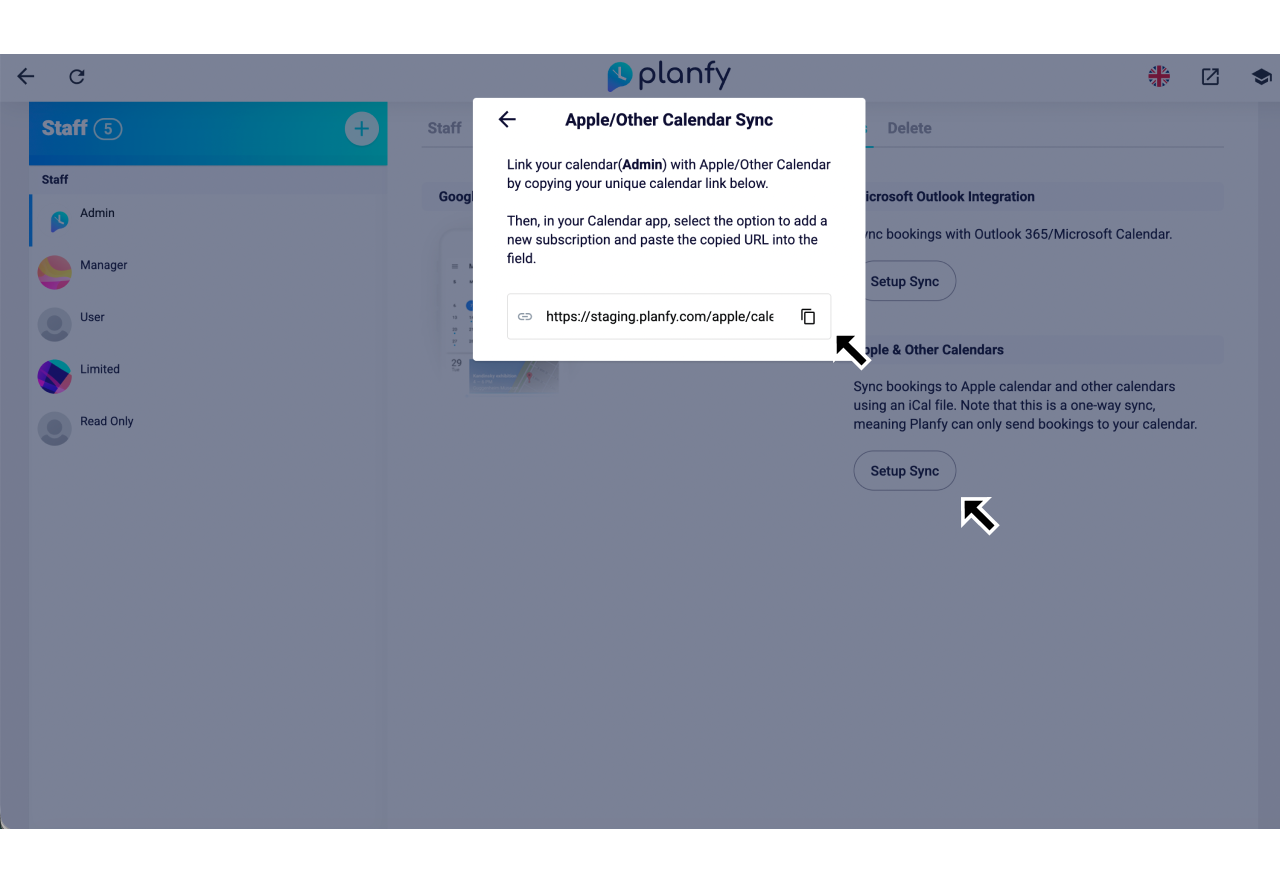
This will generate a URL for your Planfy calendar. Copy the URL and add it as a new calendar subscription in your calendar app.
On iPhone or iPad: Open the Calendar app -> Add Calendar -> Add Subscription Calendar.
On Mac: Open the Calendar app -> select File -> New Calendar Subscription.
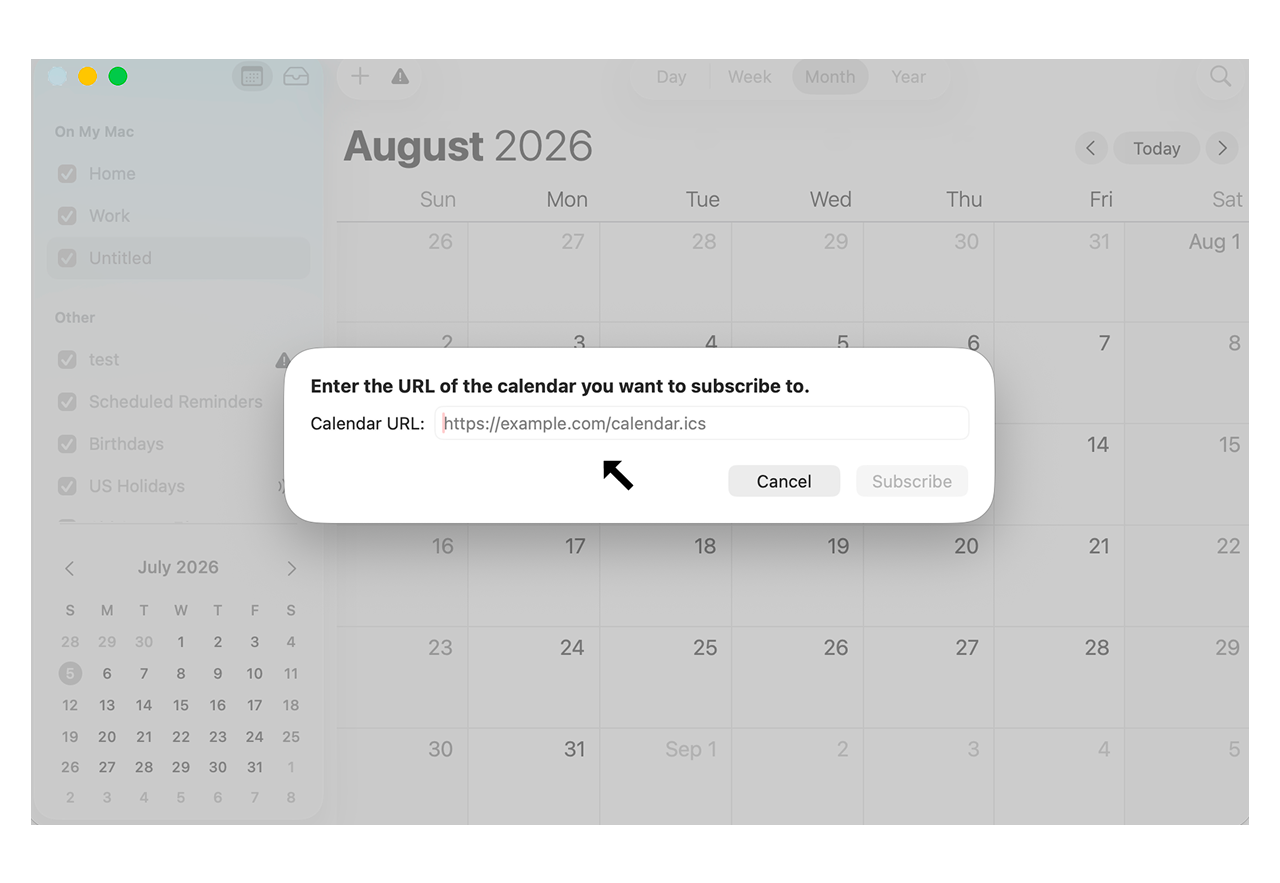
This one-way sync will automatically reflect bookings from your Planfy account.
You can refer to this guide to learn how to sync the staff calendar with Outlook Calendar.