

Planfy allows you to create custom forms to help your team capture detailed booking and customer information. You can also choose to have customers complete these forms during the booking process, or create a form specifically for an individual customer.
Building a Custom Booking Form
First, go to Tools → Form Builder from the navigation menu.
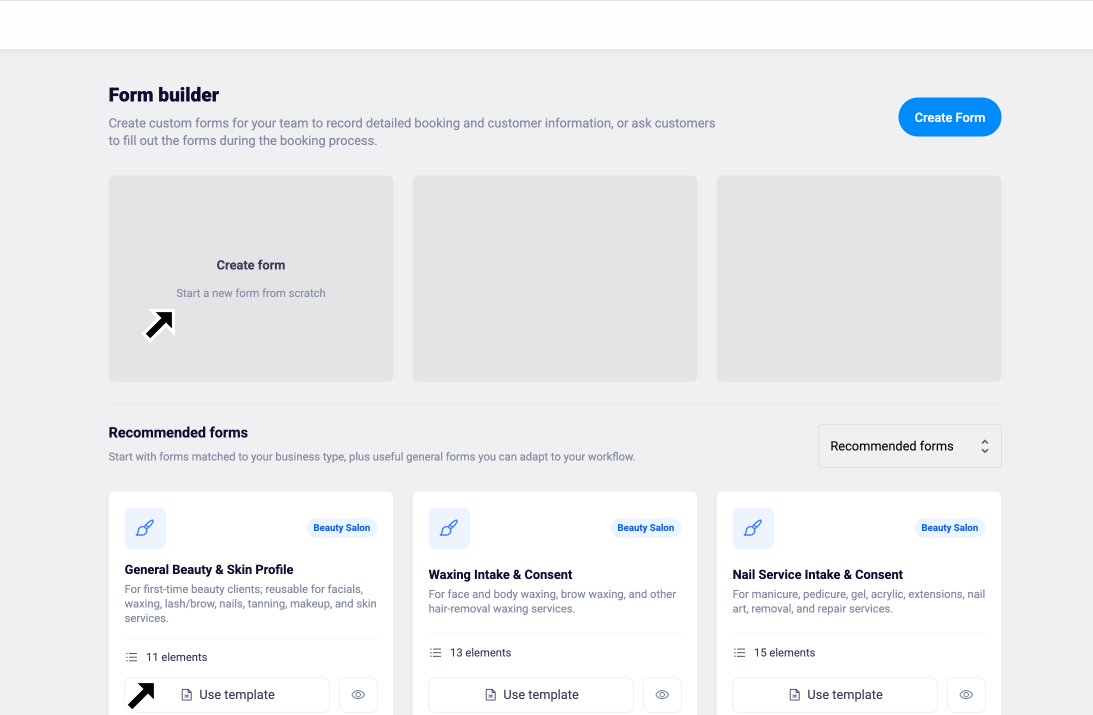
You can either create a new form from scratch or use one of the recommended templates available on the page:
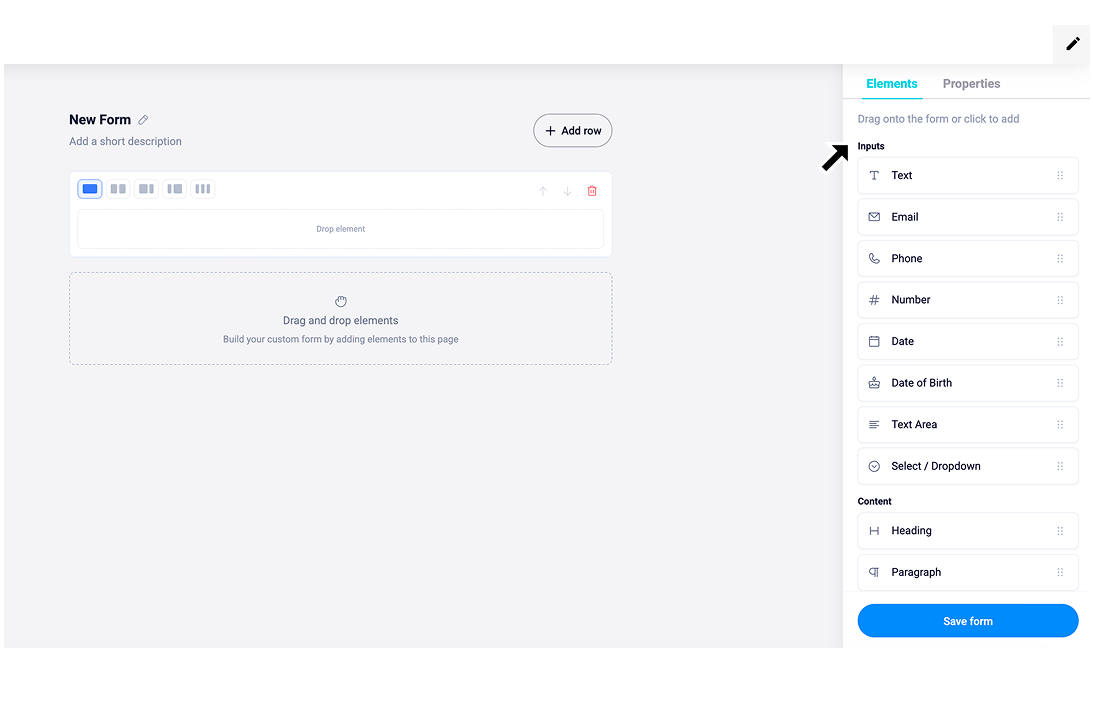
When creating a form, you can choose the input type, add a title, and easily drag and drop fields to arrange them in your preferred order:
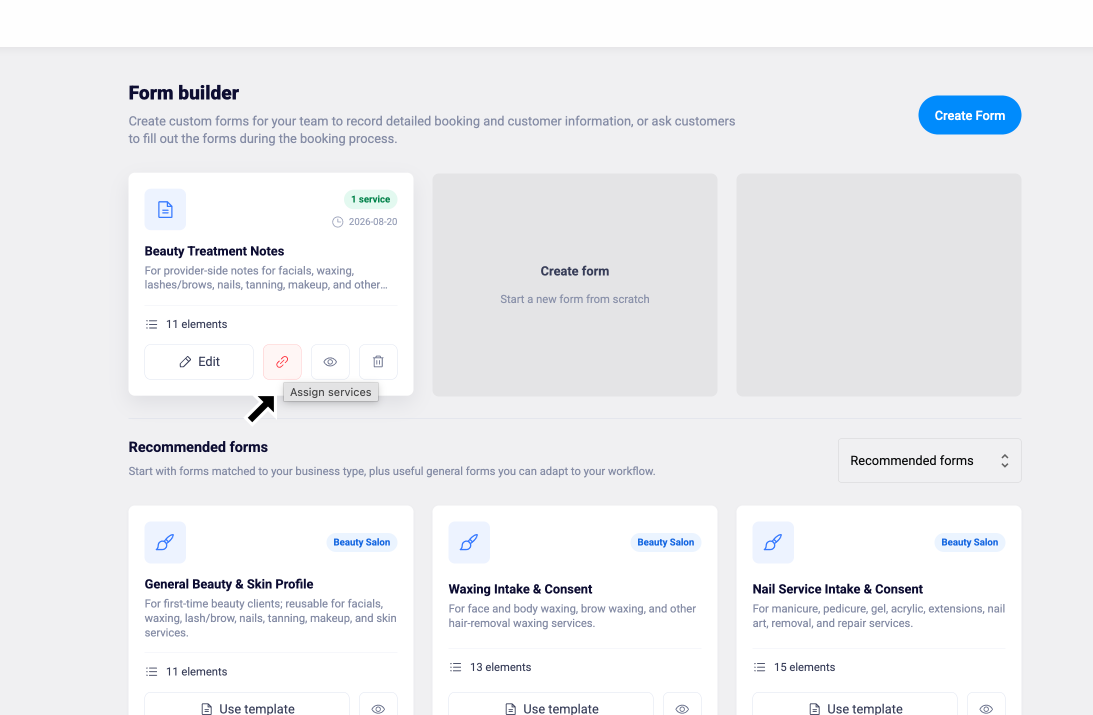
After saving the form, you can attach it to a service by clicking the “Assign Services” icon:
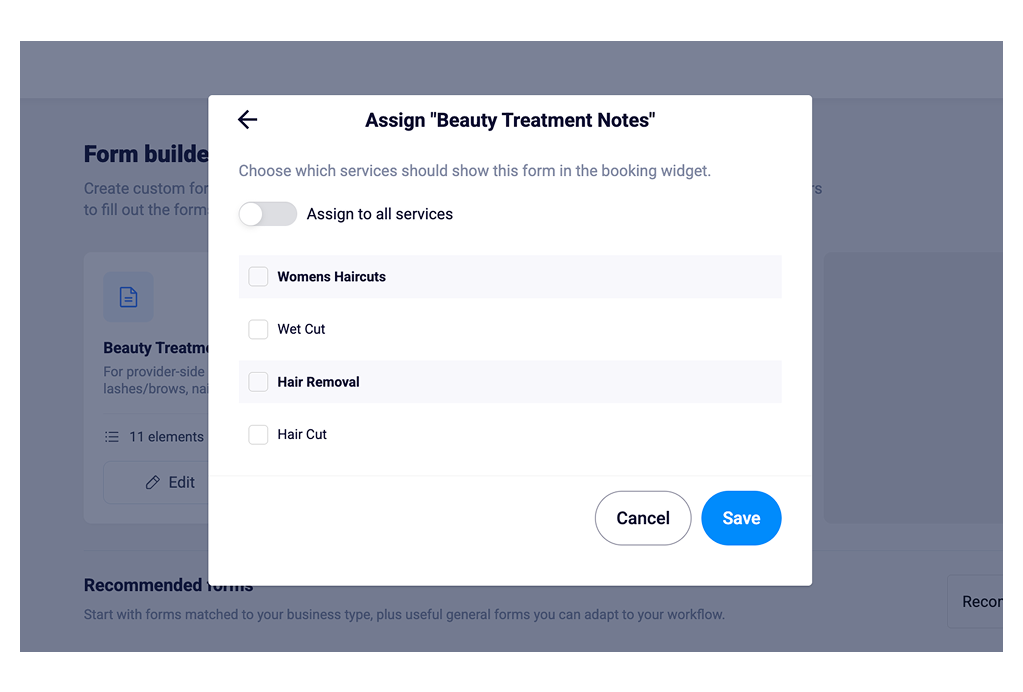
The form will now appear during the booking process, allowing you to collect the customer’s information as part of their booking:
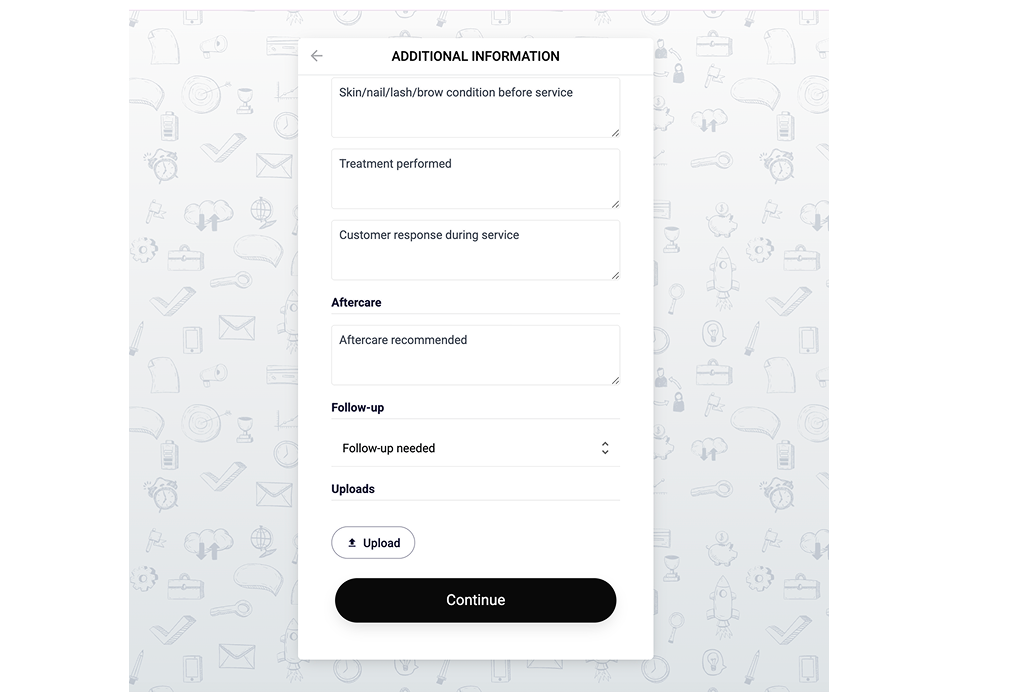
You can also view and manage forms from the Customer page:
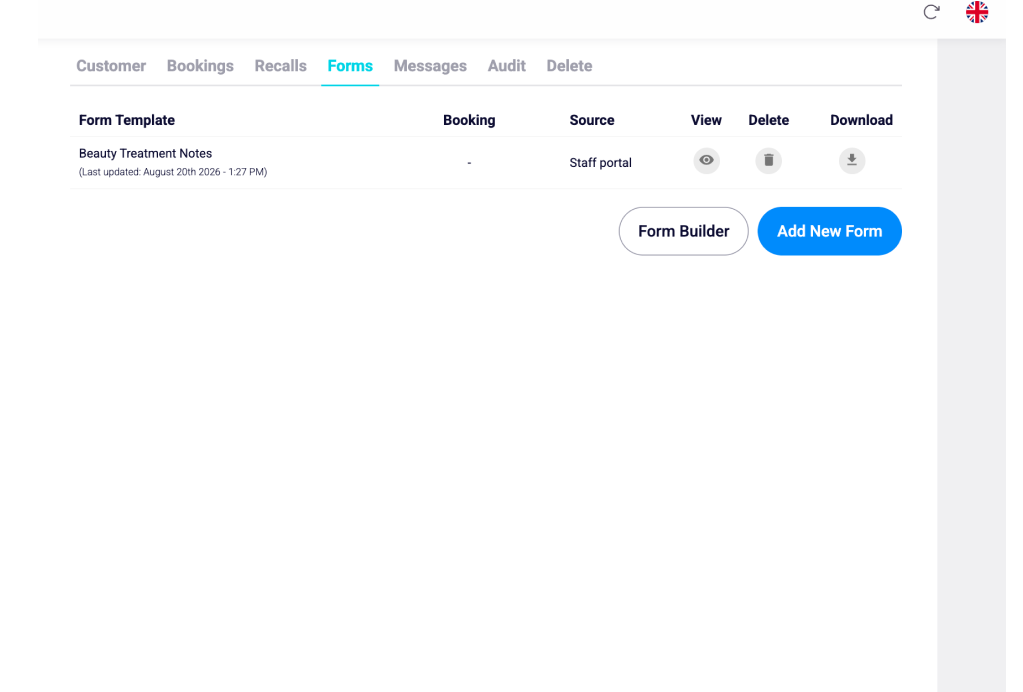
This makes it easier to collect the customer information you need for an appointment. For example, you can create custom forms to collect eye examination details, specific requests for a spa service, or any special requirements and preparations needed before the appointment.