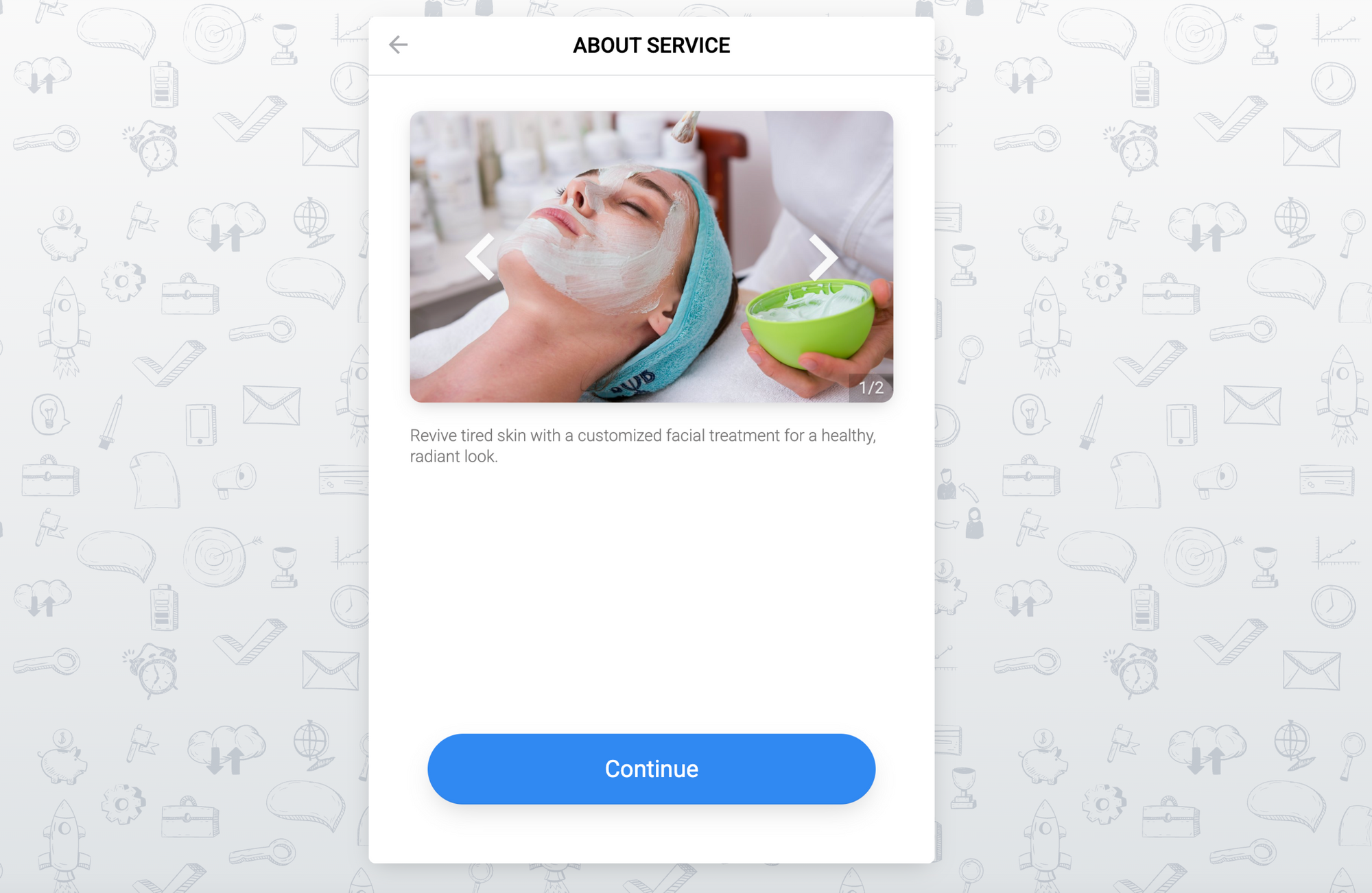

Adding a service photo or video can significantly increase customer engagement. It helps them get an overview of what your service provides and what’s included.
Planfy now features a new “Gallery” section in the service settings, letting you add multiple photos and videos to each service. These visuals will appear directly on your booking widget, giving customers a clearer idea of what your service offers.
How to Add Photos or Videos to Your Service
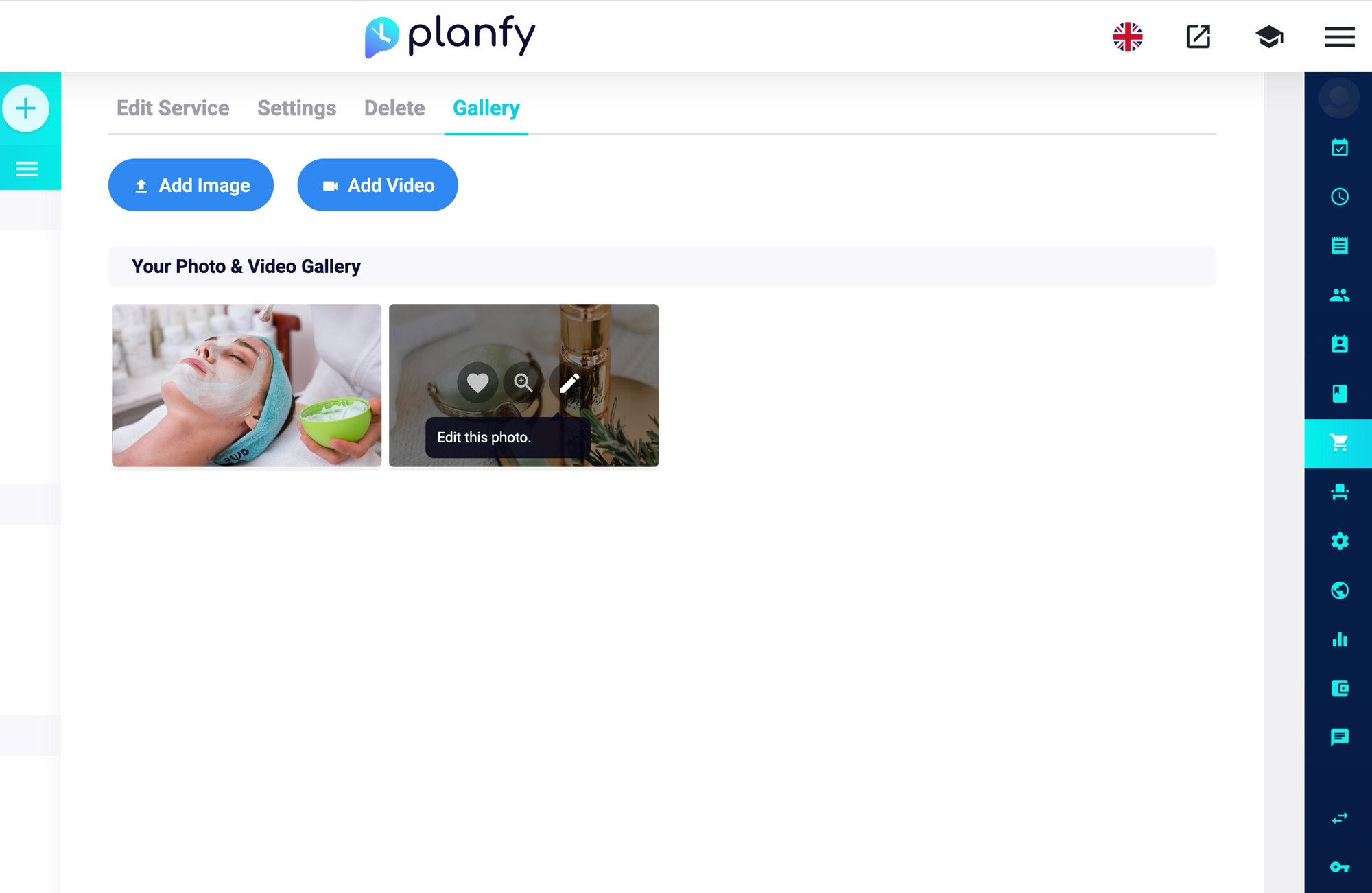
First, open your service page and choose the service you want to edit. In the top menu, you’ll find the “Gallery” tab, where you can upload photos or videos for your service.
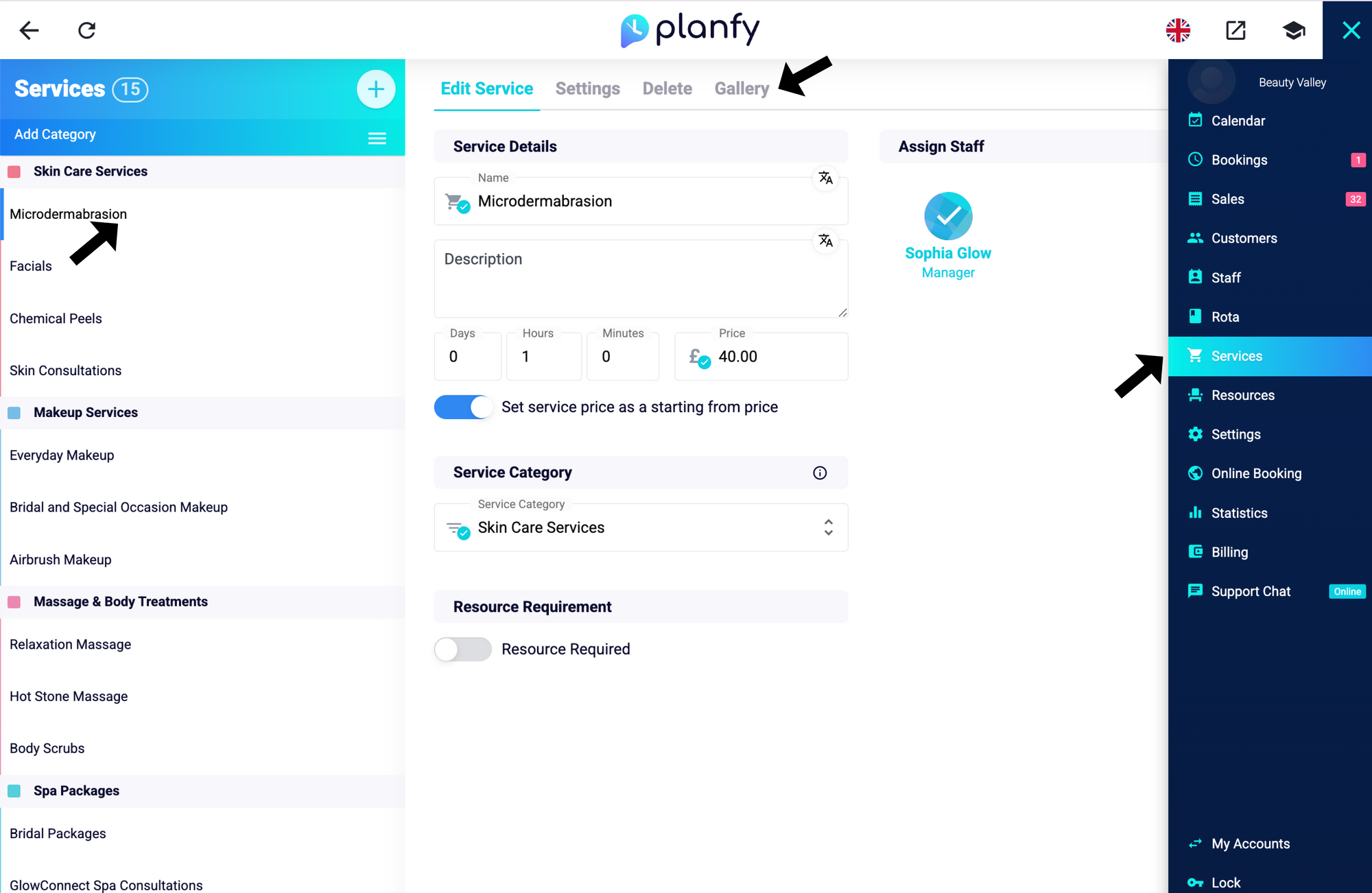
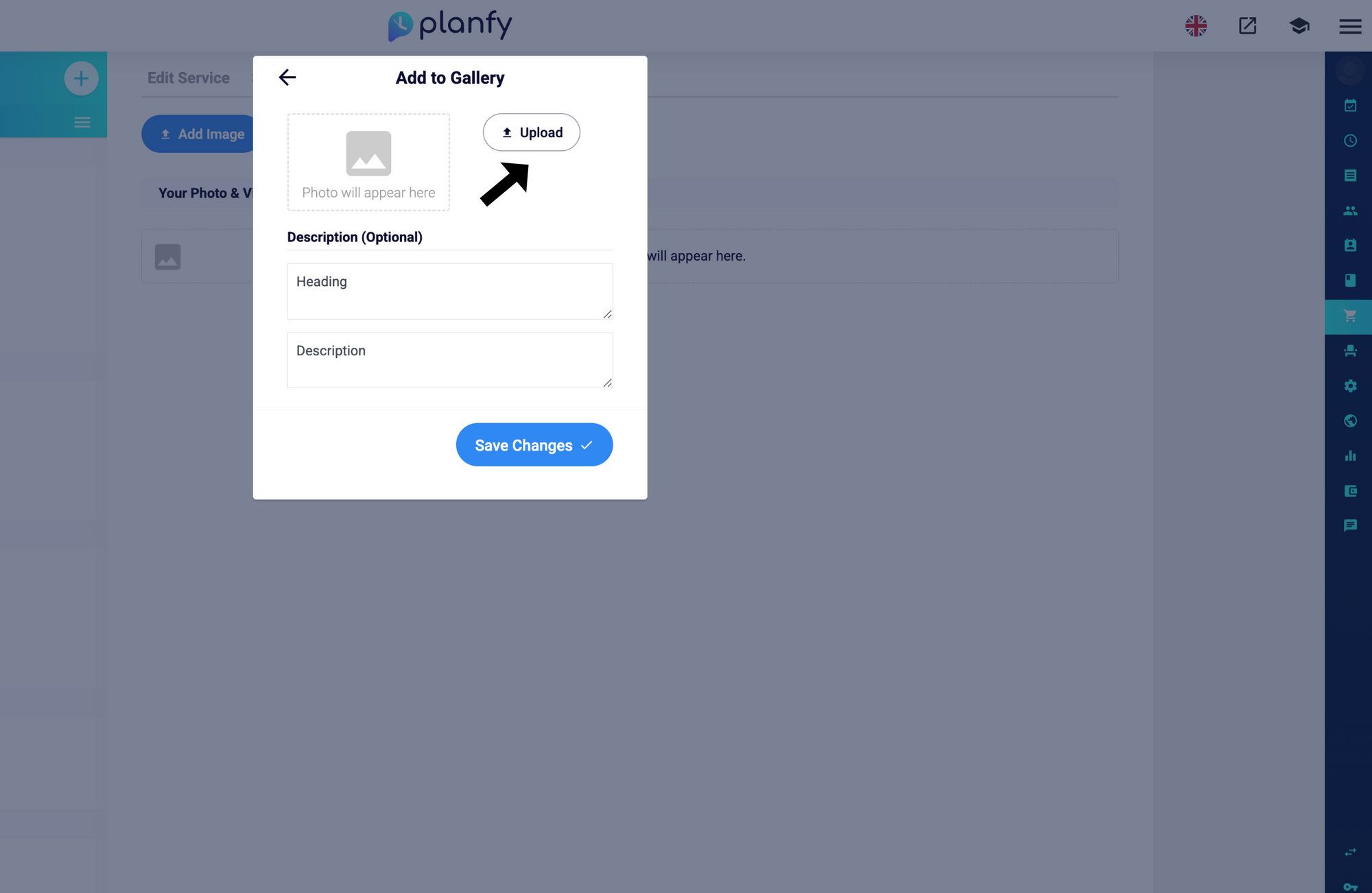
For photos, you can upload files directly from your device. We support multiple formats, including JPG, JPEG, PNG, and GIF
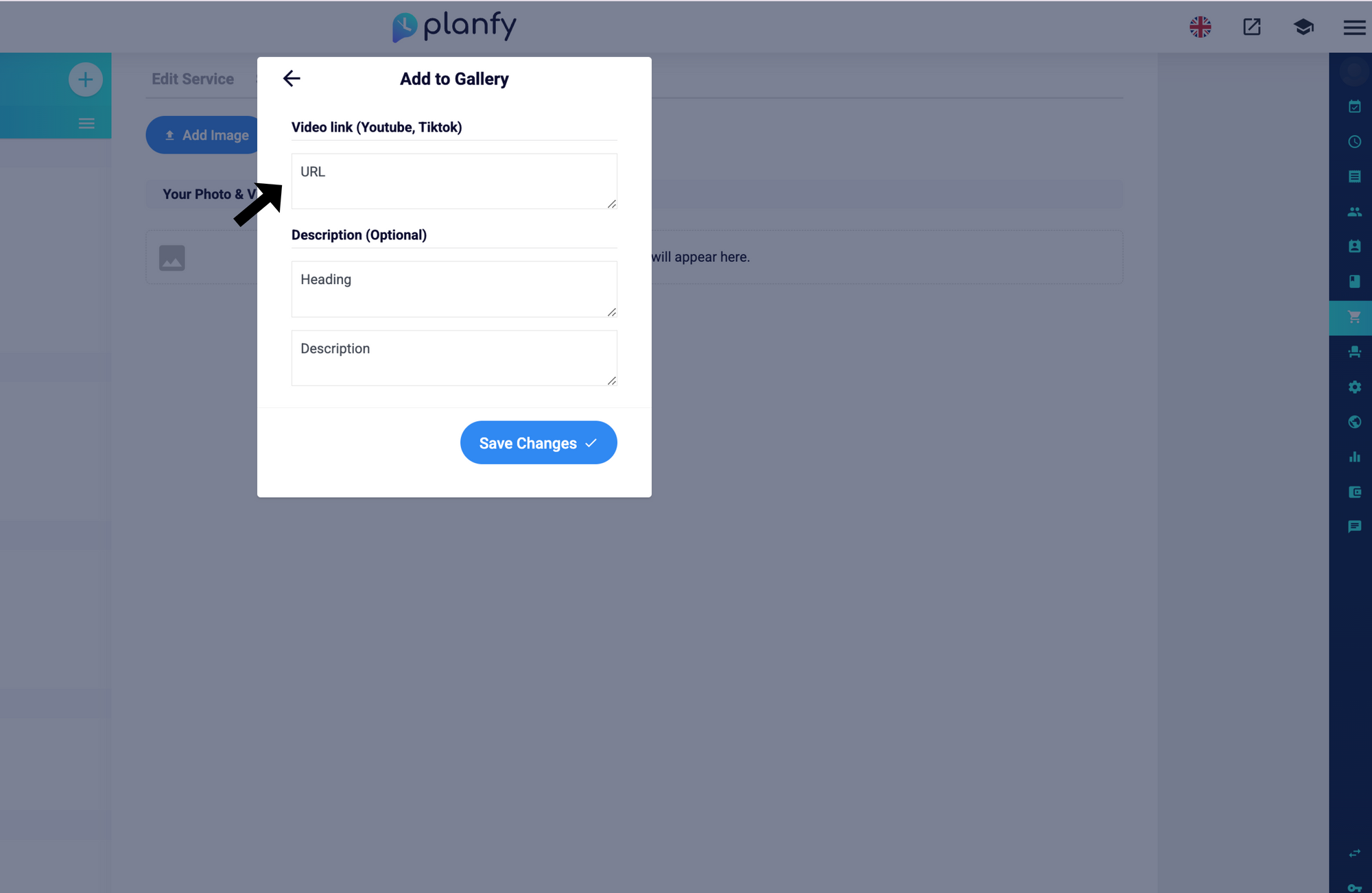
For videos, you can enter a YouTube or TikTok URL.
You can also add a description or heading for each photo or video.
Your gallery will display photos and videos by service, allowing you to manage their position, delete, or replace them.
How to Display Photos and Videos as a separate Step on the Booking Widget
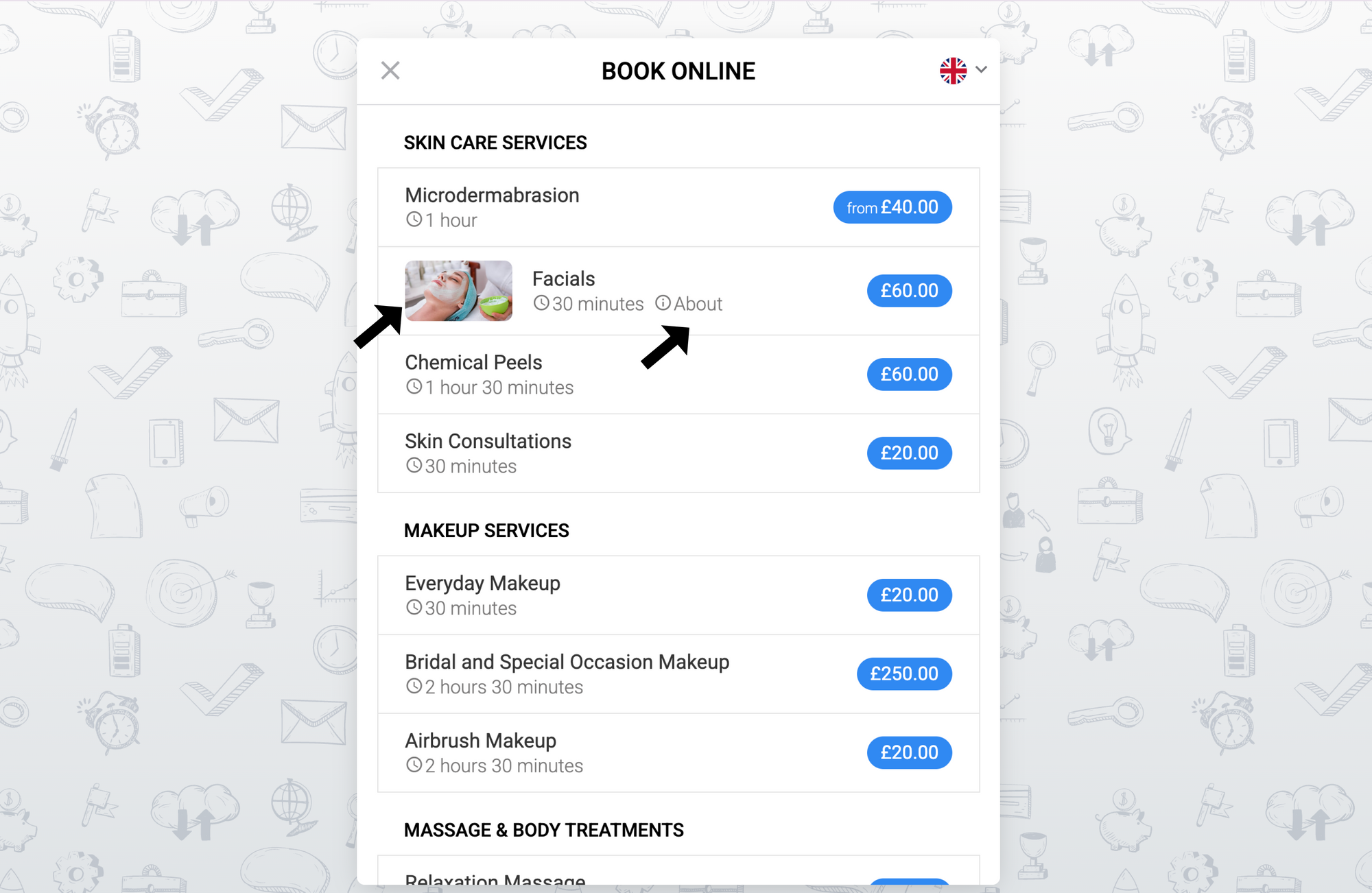
We’ll display the thumbnail in the service list, and the photo or video details will appear alongside the service description when the customer clicks “About”
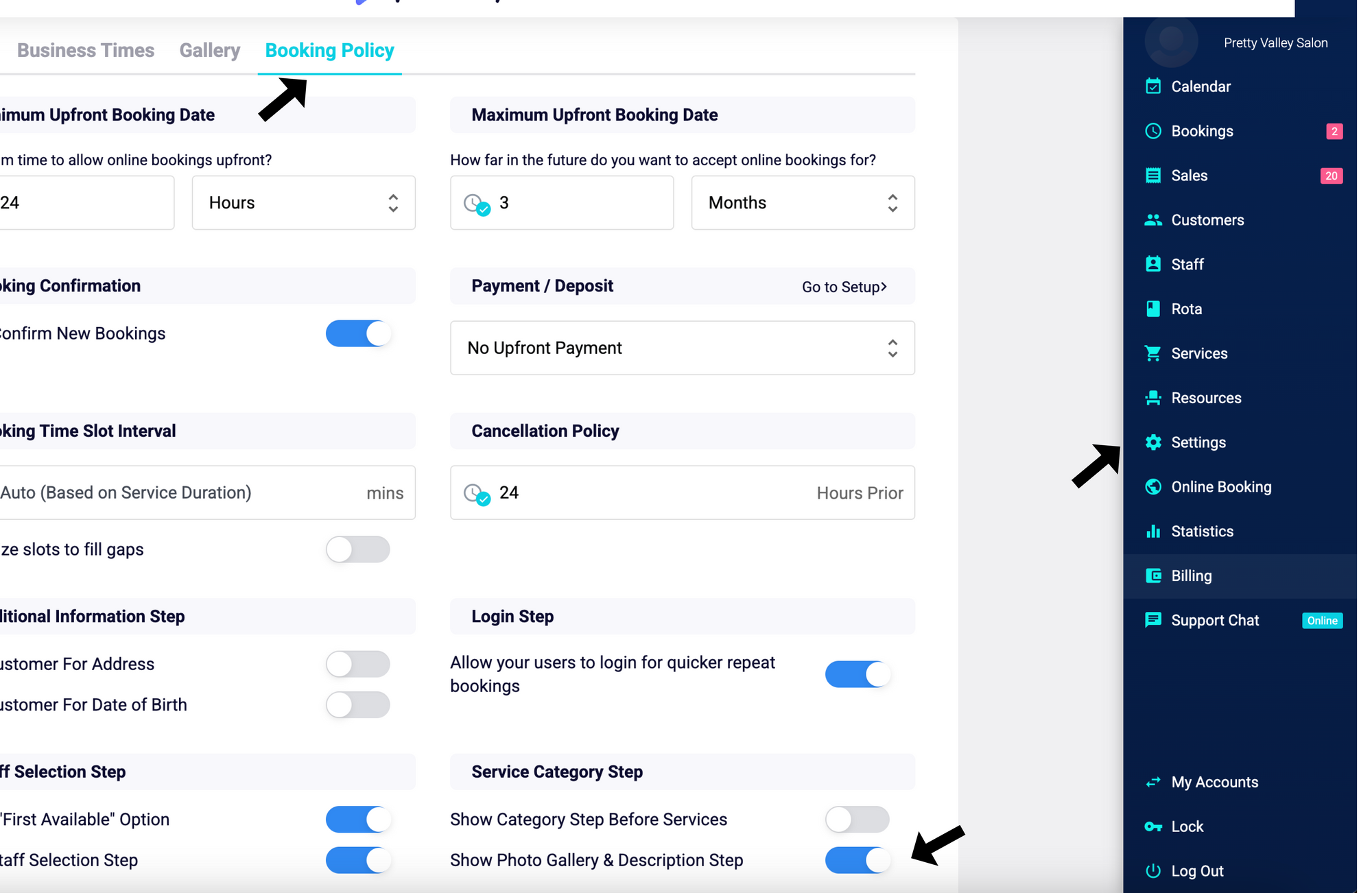
If you want the photos step to always appear when a customer selects a service, you can enable it by going to Settings → Booking Policy and turning on “Show Photo Gallery & Description Step”
Photos and videos are now displayed on the service details step, giving your customers a better overview of your service